

Quick Answer
A washing machine with no lights or sounds may have lost power. If the controls light up but the cycle will not begin, check for Delay Start, locked controls, or a door or lid that has not latched.
Start with the checks below. If the outlet works but the screen stays black, the breaker trips again, or the washer repeatedly clicks without starting, stop trying to run it.
Most Likely Causes
Power is not reaching the washer
A loose plug, tripped breaker, GFCI outlet, or failed outlet can leave the washer completely dark. You can check an accessible plug and power supply without moving the machine.
A setting is holding the cycle
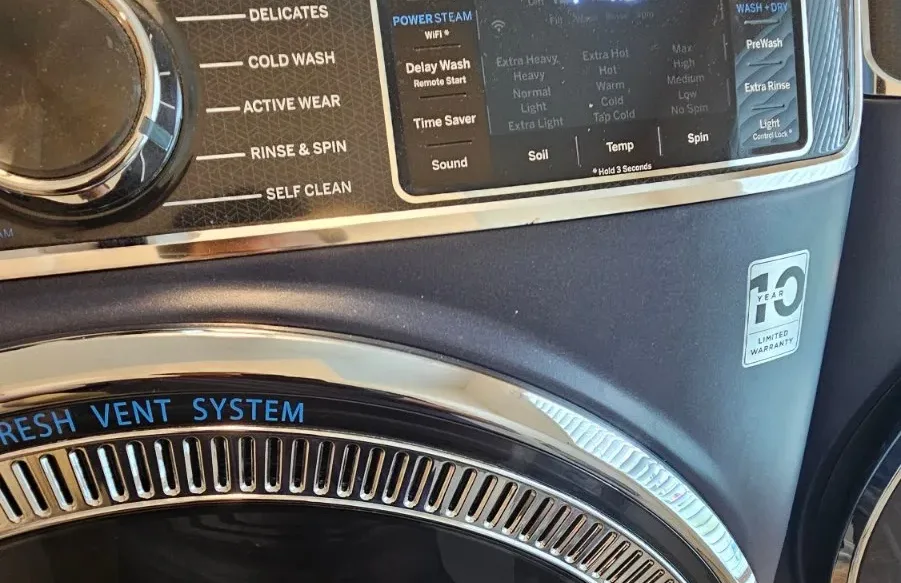
Delay Start and Control Lock can make a working washer seem unresponsive. Look for a delay time or lock symbol. Some models also require you to hold Start briefly rather than tap it.
The door or lid is not registering as closed
A front-load door lock secures the door during a cycle. Depending on the top-load model, a lid switch or lid lock tells the control when it can run. Lights on with no start, especially with repeated clicking, can point to a latch or lock problem. Check for clothing caught in the opening.
The controls are not responding
If the outlet works but the display remains black, or the panel lights up but ignores Start, the control panel or control board may be at fault. These parts receive button inputs and manage the cycle. Rule out settings and power first.
The washer cannot fill
A washer that locks and appears to begin but takes in no water may have closed supply faucets or a faulty water inlet valve. The valve controls water entering the washer. Checking the faucets is homeowner-safe. Internal electrical testing, lock repair, and valve or control replacement are technician work.
Safe Checks to Do First
- Look for a lock symbol, delay time, or error code. Photograph a code if one appears briefly.
- If the panel is dark, check an accessible plug, breaker, and GFCI outlet. Reset a tripped breaker once. Leave a stacked or heavy washer in place.
- If the outlet is dry and easy to reach, test it with a small lamp. A working outlet and a dark washer narrow the problem to the washer.
- Cancel Delay Start or Control Lock using the panel instructions. Select a normal cycle and press Start as your model directs.
- Close the door or lid firmly after removing anything caught in the opening. Never force or bypass the latch.
- If the washer responds but does not fill, check that both water supply faucets are fully open.
What the Symptoms Usually Mean
No power at all or a black screen
A dead outlet or interrupted power is the first suspect. If a lamp works in the outlet, the fault is more likely in the washer's cord or controls. Note if the screen goes black only when you press Start.
Lights are on, but the washer will not start
A setting or an unconfirmed door or lid closure is most likely. Repeated clicking at the door or lid makes the lock or its sensing circuit more suspect.
The washer fills but the drum never moves
This is a cycle or drive problem, not a no-power problem. The motor or, on some models, the inverter board that controls motor power may need diagnosis.
Water remains in the tub and the washer will not restart
A drain problem may be holding up the next cycle. Use the homeowner checks in our washer not draining guide.
When to Stop DIY and Call a Technician
Stop if the breaker trips again, a plug or outlet looks burned, you smell electrical burning, or water is near the cord or outlet. Leave the cabinet and screwed panels closed.
Arrange washer repair service if the outlet works but the display stays dark, the lock keeps clicking, or the washer accepts Start but repeatedly fails to begin. Note whether the screen lit up, you heard a click, or water entered the tub.
From Our Repair Log
October 2026: GE Washer Not Draining. Inverter Board Repair in Garner
We individually activated and tested each operation. The first test passed, but on the second the washer would not enter spin.